













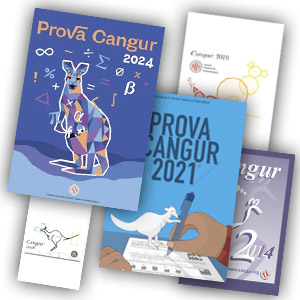


The registration period for the 2026 Kangaroo Test, organized by the Catalan Society of Mathematics, is open until Tuesday, February 3!
Interested educational centers can formalize their registration through the’center area of the website.
The Kangaroo Test is a center, activity, and all management —registration, validation, and payment— is done in a unified manner through the private area of each school center.
Before starting the registration process, it is highly recommended to carefully read the document on the operating rules of the 2026 Kangaroo, available on the website. Acceptance of these rules is mandatory to complete the form.
Registration is done through a single form per center and involves a single payment, for technical and organizational reasons.
You will find detailed instructions on registrations on the Kangaroo page, of this same website. Below are summarized some basic aspects.
Organization by sub-kangaroos
The registration form is structured into four sections, corresponding to the sub-kangaroos:
-
Primary
-
1st and 2nd year of ESO
-
3rd and 4th year of ESO
-
High school and vocational training cycles
For primary and ESO, the registration fee is €15 per sub-kangaroo and center (free for institutional member centers of the SCM). In each section, you must indicate whether the center participates and designate one or two teachers as contact persons.
In the case of high school, you must specify whether the center:
-
conducts the test at its own center,
-
offers itself as a venue,
-
or prefers to participate in an external venue.
If the center offers itself as a venue or requests an external venue, you must indicate the number of participating students. In this case, the fee is €3 per participant, with the corresponding discount for institutional member centers.
Payment and validation of registration
Once the form is submitted, the system shows the’total amount of the single payment and offers detailed instructions to carry it out. This information is also sent by email to the center.
After making the payment, you must upload the receipt through the application and enter the tax details necessary for issuing the invoice. Once the payment has been validated, the center can download the invoice or receipt directly from the center area.